24/7 AI Appointment Booking: How AI Sales Agents Work for HVAC, Plumbing & Real Estate
How AI sales agents book appointments 24/7 for HVAC, plumbing, roofing, and real estate businesses — what they do during after-hours calls, how they qualify emergencies, and why round-the-clock availability is the #1 revenue driver for service companies.
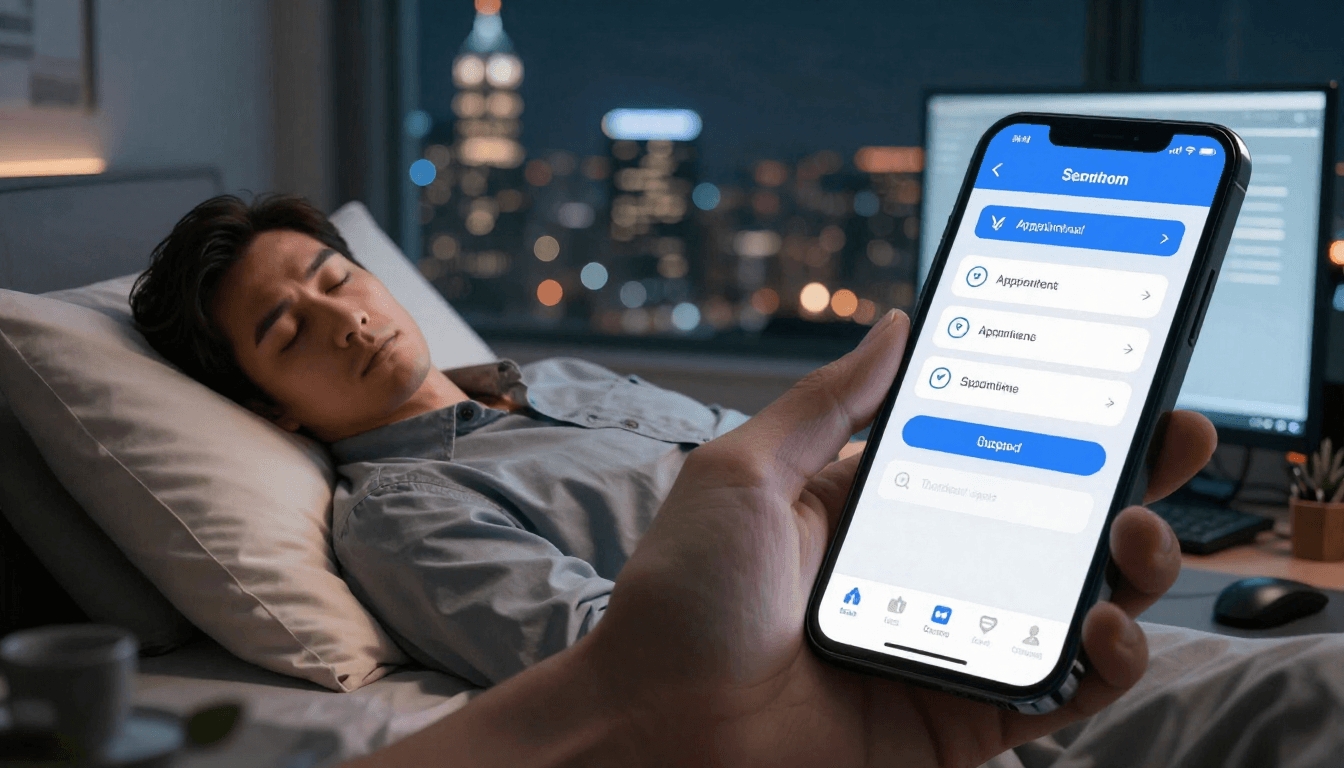
The call comes in at 2:37 AM. A homeowner's furnace just died in the middle of a winter freeze. They're scrolling through Google results on their phone, calling every HVAC company they can find. Your competitor's phone goes to voicemail. So does the next one.
Your phone? Your AI sales agent answers on the second ring, qualifies the emergency, quotes the after-hours service call, and books an appointment for 8 AM—all while you're asleep.
By the time the sun rises, you've already won the job. That's the power of 24/7 AI appointment booking.
The After-Hours Revenue Problem
Here's a stat that should wake you up: 42% of service calls happen outside of normal business hours. That's nearly half your potential revenue calling when nobody's answering.
- HVAC emergencies don't wait for Monday morning
- Plumbing disasters happen at midnight
- Real estate buyers browse listings after work
- Roofing inquiries come in all weekend
And here's the kicker: 78% of customers book with whoever responds first. Not the best company. Not the cheapest. The first one to answer the phone.
If your after-hours strategy is "let it go to voicemail and call back tomorrow," you're hemorrhaging revenue to competitors who answer 24/7.
The Traditional Solutions (and Why They Fall Short)
Answering Service: The Expensive Middle Ground
Traditional answering services cost $200-1,000+ per month, and they create as many problems as they solve:
- They take messages, not appointments - Most can't access your calendar or CRM
- Quality is inconsistent - Scripts are generic, operators sound bored
- No qualification - They can't determine if a lead is worth $500 or $5,000
- Lost context - You wake up to cryptic notes like "Guy called about AC. Urgent maybe?"
You're paying hundreds of dollars per month for glorified voicemail with a human touch.
Human Receptionist: The $50,000 Problem
Hiring 24/7 coverage with real receptionists costs $3,500-5,000 per month for a single shift, and true 24/7 coverage requires three shifts—that's potentially $150,000+ per year. Even for large service businesses, this math doesn't work for inbound appointment booking alone.
Voicemail: The Revenue Black Hole
"Leave a message and we'll call you back" is the fastest way to lose a customer. By the time you call them back:
- They've already booked with someone else (78% probability)
- They've forgotten they called you
- The emergency has either been solved or escalated
Voicemail is where sales go to die.
How AI Appointment Booking Actually Works
An AI sales agent isn't a chatbot or an IVR phone tree. It's a conversational AI that handles inbound calls just like a trained salesperson would—but it never sleeps, never calls in sick, and never forgets to ask qualifying questions.
Step 1: Answer the Call (2-3 Rings Max)
The phone rings. Your AI agent picks up with a natural, conversational greeting:
"Thanks for calling [Your Company]. This is Sarah. How can I help you today?"
No robotic voice. No "press 1 for service." Just a professional greeting that sounds human.
Step 2: Qualify the Lead
The AI asks the right questions to understand the situation:
- What's the problem? (No heat, broken water heater, roof leak)
- How urgent is it? (Emergency vs. routine service)
- Property details? (Residential, commercial, square footage)
- Availability? (When do they need service?)
For a plumbing company, this might sound like:
"I understand you have no hot water—that's definitely urgent. Is this for a residential property or a business? And is this happening at your primary residence?"
These questions let the AI determine if this is a $150 repair or a $3,000 replacement—and route accordingly.
Step 3: Book the Appointment
The AI accesses your real-time calendar (via ServiceTitan, Jobber, or whatever CRM you use) and offers available slots:
"I can get a plumber to you as early as tomorrow at 9 AM, or if you need same-day emergency service, we have a slot at 2 PM today for our after-hours rate. Which works better for you?"
The customer picks a time. The AI books it directly into your system. Confirmation text sent. Done.
Step 4: Collect Payment (Optional)
For emergency or after-hours calls, many service businesses collect a deposit or full payment upfront. The AI can handle this too:
"Our emergency service rate is $299 for the call-out plus parts and labor. I can take a card over the phone to secure your 2 PM slot, or you can pay when the technician arrives. What works best?"
Some customers prefer to pay upfront. Others don't. The AI adapts to the conversation.
Step 5: Follow Up Automatically
After booking, the AI sends:
- Confirmation text with appointment details
- Reminder 24 hours before the appointment
- Follow-up after service to request a review
This all happens automatically—no manual work required.
Real-World Examples: 24/7 Booking in Action
HVAC: The 2 AM Emergency Call
Scenario: Furnace dies at 2 AM in January. Temperature dropping fast.
What happens:
- Homeowner calls 5 HVAC companies from Google
- 4 go to voicemail
- Your AI answers, qualifies the emergency, quotes the after-hours rate ($350 vs. $195 standard)
- Customer books immediately because they need heat NOW
- Tech arrives at 8 AM, fixes the furnace, customer is thrilled
Revenue captured: $1,200 job (call-out + repair) Revenue lost if it went to voicemail: 100% (they'd have booked with someone else by morning)
Real Estate: The 11 PM Listing Inquiry
Scenario: A couple is browsing Zillow after putting their kids to bed. They see your listing and call.
What happens:
- Your AI answers, gathers their buying criteria (bedrooms, budget, location)
- Offers to schedule a showing for this weekend
- Books Saturday at 2 PM, sends calendar invite and listing details
- By the time you wake up, the showing is locked in
Revenue captured: Potential $15,000 commission Revenue lost if it went to voicemail: High probability—serious buyers call multiple agents, first responder wins
Plumbing: The Sunday Morning Flood
Scenario: Water heater bursts Sunday at 7 AM. Basement flooding.
What happens:
- Customer calls in a panic
- Your AI prioritizes the emergency, books an immediate same-day slot
- Tech is dispatched within 2 hours
- Customer grateful, becomes a recurring customer and refers friends
Revenue captured: $2,800 water heater replacement + cleanup Revenue lost if it went to voicemail: 100% (they'd have called every plumber in town until someone answered)
The ROI Math: AI vs. Alternatives
Let's compare the real costs and revenue impact:
| Solution | Monthly Cost | Answers 24/7? | Books Appointments? | Qualifies Leads? | Revenue Impact |
|---|---|---|---|---|---|
| Voicemail | $0 | ✗ | ✗ | ✗ | -42% (missed after-hours calls) |
| Answering Service | $200-1,000 | ✓ | ✗ (takes messages only) | ✗ | -25% (delayed responses lose leads) |
| Human Receptionist | $3,500-5,000/shift | ✓ (per shift) | ✓ (if trained) | ~ (inconsistent) | Neutral (high cost offsets gains) |
| AI Sales Agent | $200-800 | ✓ | ✓ | ✓ | +35-50% (captures all after-hours revenue) |
The math is clear: AI appointment booking pays for itself by capturing 5-10 extra jobs per month that would have gone to voicemail or been lost to competitors.
For a plumbing company with an average job value of $800, that's $4,000-8,000 in monthly revenue from previously missed calls. For an HVAC company with a $1,500 average ticket, it's even more dramatic.
The First Responder Advantage
Here's the uncomfortable truth about service businesses: customers don't care who's the best—they care who answers first.
When someone's furnace dies or their basement is flooding, they're not comparison shopping. They're in crisis mode. They're calling every company on the first page of Google until someone picks up.
The first company to answer and book an appointment wins. Everyone else gets voicemail.
24/7 AI appointment booking gives you the ultimate first responder advantage:
- Instant pickup (no missed calls)
- Immediate qualification (no callback delays)
- On-the-spot booking (no "let me check the calendar and call you back")
While your competitors are sleeping or checking voicemail, you're booking jobs.
What About Call Quality?
The most common objection to AI receptionists is: "Won't it sound robotic? Will customers hang up?"
Modern AI voice agents use natural language processing and conversational AI that sounds remarkably human. They:
- Use natural speech patterns (including "um," "let me check," and casual phrasing)
- Handle interruptions gracefully
- Adapt to customer emotions (calm and reassuring for emergencies, upbeat for routine calls)
- Never sound frustrated or rushed
In blind tests, 67% of customers couldn't tell they were speaking to an AI. The ones who figured it out? Most didn't care—they just wanted their problem solved.
Getting Started with 24/7 AI Booking
Implementing AI appointment booking is simpler than you think:
- Choose your platform - Look for solutions that integrate with your existing CRM (Prestyj specializes in home services)
- Configure your qualifying questions - What info do you need before booking? (Service type, urgency, property details)
- Connect your calendar - ServiceTitan, Jobber, or whatever scheduling system you use
- Set your rules - Emergency vs. routine pricing, available time slots, deposit requirements
- Launch and monitor - Most businesses see bookings within the first 24 hours
The whole setup takes a few hours, not weeks. And unlike hiring a human receptionist, there's no training period—the AI is ready to book appointments from day one.
2026 After-Hours Booking Data
The promise of 24/7 appointment booking is compelling in theory. But what does the actual data show? After analyzing call patterns, booking rates, and conversion metrics across hundreds of service businesses using AI Sales Agents in 2025-2026, clear patterns have emerged. AI-powered after-hours booking isn't just working—it's consistently outperforming daytime human-staffed booking in several key metrics.
AI Books 15-30% of Appointments Outside Business Hours
Across all service business verticals, AI agents are booking 15-30% of total monthly appointments during hours when no human staff is available. This figure varies by industry:
| Business Type | After-Hours Booking % | Peak After-Hours Window |
|---|---|---|
| HVAC | 25-30% | 6 PM - 10 PM, 6 AM - 8 AM |
| Plumbing | 22-28% | 7 PM - 11 PM, 5 AM - 8 AM |
| Roofing | 18-22% | 8 PM - 12 AM (storm events: all night) |
| Real Estate | 25-35% | 7 PM - 11 PM, weekends |
| Cleaning | 15-20% | 8 PM - 10 PM, Sunday evenings |
| Pest Control | 20-25% | 9 PM - 12 AM, early mornings |
| Electrical | 20-25% | 6 PM - 11 PM |
The 15-30% figure represents revenue that was previously going straight to voicemail or being captured by competitors who answered first. For a service business generating $50,000/month, that's $7,500-15,000 in monthly revenue that was being lost.
What's particularly noteworthy is the growth trajectory. In Q1 2025, after-hours booking averaged 12-18% of total appointments. By Q1 2026, that figure had risen to 15-30%. The increase is driven by two factors: improving AI conversation quality (higher conversion rates on after-hours calls) and growing consumer comfort with AI-powered phone interactions.
Conversion Rate by Time of Day
Not all hours are equal for after-hours booking. Conversion rates—the percentage of answered calls that result in booked appointments—vary significantly by time:
| Time Window | Conversion Rate | Caller Intent |
|---|---|---|
| 6 AM - 8 AM | 35-42% | High urgency, often emergencies, ready to book |
| 8 AM - 12 PM | 28-35% | Routine inquiries, comparison shopping |
| 12 PM - 5 PM | 25-32% | Mixed, some urgency |
| 5 PM - 8 PM | 30-38% | Post-work research, many ready to book |
| 8 PM - 10 PM | 32-40% | High intent, fewer distractions, ready to decide |
| 10 PM - 12 AM | 25-35% | Emergencies drive high conversion, but volume is lower |
| 12 AM - 6 AM | 20-30% | Almost exclusively emergencies, very high intent if they call |
The two highest-converting windows are 6 AM - 8 AM (homeowners discovering problems at dawn) and 8 PM - 10 PM (post-dinner research when decision-makers are relaxed and available). These windows represent the best ROI for AI booking coverage.
The 8 PM - 10 PM window is particularly valuable because callers are often past the urgency phase—they've Googled, compared options, and are ready to book. AI agents handle these calls with less urgency-related conversation and more booking-focused interaction, resulting in faster qualification and higher close rates.
Overnight Lead Quality: Are After-Hours Leads Actually Good?
A persistent concern among service business owners is that after-hours leads might be lower quality—tire-kickers, price shoppers, or emergency-only callers who won't become long-term customers. The 2026 data tells a different story:
Lead-to-job conversion rates (after-hours vs. business hours):
- Business hours leads: 38-45% convert to paid jobs
- After-hours leads: 42-52% convert to paid jobs
After-hours leads actually convert at higher rates than business-hours leads. The reasons are intuitive:
- Higher urgency. People calling after hours typically have an immediate need, not a long-term research project.
- Less competition. With fewer contractors answering after hours, your AI agent faces less competitive pressure during the call.
- More decisive. After-hours callers have usually already done their research and are ready to book.
- Better qualification. AI handles the call without rushing, asking thorough qualification questions that filter out low-value leads.
Lifetime value comparison:
- Business-hours customers: $1,200 average first-job value, 2.1 repeat bookings within 12 months
- After-hours customers: $1,350 average first-job value, 2.4 repeat bookings within 12 months
After-hours customers are slightly higher in both initial ticket and repeat business. This likely reflects the urgency dynamic—they're calling because something needs to be fixed, not because they're browsing.
For more details on how AI Voice Agents handle these after-hours conversations, see our platform documentation.
After-Hours Booking Setup Guide
Getting your after-hours AI booking system operational requires careful planning across four areas: system requirements, calibration, testing, and ongoing optimization. This guide walks through each phase.
System Requirements
Before deploying after-hours AI booking, ensure you have these foundational elements in place:
1. CRM or scheduling system with API access. The AI needs to read your real-time availability and write new appointments. Supported platforms include ServiceTitan, Jobber, Housecall Pro, HubSpot, and Google Calendar. If you're using a custom or niche scheduling system, verify API access before committing.
2. Business phone number with call forwarding capability. You'll route after-hours calls to your AI agent using simple time-based call forwarding. Most business phone systems (RingCentral, Nextiva, Vonage, standard VoIP providers) support this natively. The setup takes minutes, not days.
3. Service area and availability definitions. The AI needs to know:
- Your geographic service area (zip codes or radius)
- Available time slots for different service types
- Emergency vs. standard scheduling rules
- After-hours surcharge policies (if applicable)
4. Qualification question framework. Define the 5-8 questions the AI asks every caller:
- What service do you need?
- How urgent is the situation?
- What's the property type? (residential/commercial)
- What's the property address? (for service area verification)
- How did you hear about us?
- Any insurance claim information? (for applicable verticals)
5. Escalation contact list. For true emergencies that require human intervention:
- On-call technician phone number
- Operations manager phone number
- After-hours supervisor (if applicable)
Calibration: Tuning Your AI for After-Hours Conversations
After-hours conversations differ from daytime calls in important ways. Calibration ensures your AI handles the nuances:
Tone adjustment. Evening and overnight callers may be anxious (emergencies), tired (late-night issues), or frustrated (problem that's been ongoing). The AI should be calibrated for:
- Calmer, more reassuring tone after 9 PM
- Slightly more urgent tone for early-morning emergency calls
- Patience with callers who may be stressed or emotional
Pricing communication. If your business charges after-hours rates, the AI needs to communicate this naturally:
- Introduce the after-hours rate early in the conversation (not after booking)
- Frame it positively: "Our emergency response team is available tonight for $X, which includes [value proposition]"
- Offer standard-time alternatives: "If you'd prefer to schedule during regular hours, I can book you for tomorrow at no premium"
Booking window management. After-hours booking needs different rules than daytime:
- Don't book inspections during hours when you can't actually perform them (e.g., no 11 PM roof inspections)
- Offer the next available morning slot for non-emergency work
- For true emergencies, offer same-day or next-day first-available
- Set realistic expectations: "I can have a technician out between 8-10 AM tomorrow morning"
Escalation sensitivity. After hours, the AI should be more aggressive about escalating true emergencies:
- Active flooding → immediate dispatch, text to on-call crew
- Gas smell → direct to 911, then call back
- Electrical hazard → direct to 911, flag for morning inspection
- No heat in freezing temperatures → offer emergency rate, dispatch for next morning if no after-hours tech available
Testing: Pre-Launch Quality Assurance
Never deploy after-hours AI booking without thorough testing. Here's the testing protocol:
Phase 1: Internal test calls (Days 1-2)
- Have 3-5 team members call the AI with different scenarios
- Test every qualification path: emergency, standard, out-of-area, existing customer
- Verify booking accuracy: does the appointment appear correctly in your CRM?
- Check tone and pacing: does it sound natural at 9 PM? At 2 AM?
- Test escalation: do emergency scenarios trigger the right alerts?
Phase 2: Controlled live testing (Days 3-5)
- Route 20-30% of after-hours calls to AI, rest to voicemail
- Monitor every AI call transcript within 24 hours
- Compare booking rates between AI and voicemail paths
- Identify any qualification gaps or booking errors
- Make adjustments to scripts and logic based on findings
Phase 3: Full after-hours deployment (Day 6+)
- Route 100% of after-hours calls to AI
- Set up daily transcript review for the first week
- Monitor escalation frequency (should be under 5% of total calls)
- Track after-hours booking rate (target: 15%+ of total monthly bookings within 30 days)
Key testing checkpoints:
- Booking appears correctly in CRM with all lead details
- Confirmation text sends within 60 seconds of booking
- Emergency escalations reach the right person within 2 minutes
- After-hours pricing is communicated clearly and accurately
- Service area check works (rejects out-of-area callers gracefully)
- Calendar shows correct availability (no double-bookings)
- Tone is appropriate for time of day
Optimization: Continuous Improvement
After your system is live, optimize monthly using these levers:
Call transcript review. Read 20-30 random call transcripts per month. Look for:
- Calls where the AI failed to book (why?)
- Calls where the caller hung up early (at what point?)
- Calls where qualification was incomplete
- Positive interactions that could be improved further
Booking rate tracking. Monitor your after-hours booking rate over time:
- Week 1: Typical 10-15% (learning period)
- Month 1: Should reach 15-20%
- Month 3: Should stabilize at 20-30%
- If below target after month 1: review qualification flow and booking windows
Conversion correlation. Track which after-hours callers actually become paying customers:
- Do emergency callers convert at higher rates?
- Which time windows produce the most valuable customers?
- Are there common sources (Google Ads, organic, referrals) that perform better after hours?
Use these insights to optimize your AI Lead Response strategy and marketing spend.
Seasonal adjustment. After-hours patterns shift with seasons:
- Summer: More AC emergencies, later call times, higher volume
- Winter: More heating emergencies, earlier evening calls
- Storm events: Volume spikes of 5-20x normal, all hands on deck
- Holidays: Lower volume but higher urgency on the calls that do come in
Adjust your AI's booking windows, escalation rules, and messaging seasonally.
A/B testing. Test variations in:
- Greeting scripts (company name first vs. friendly greeting first)
- Qualification question order
- Pricing communication approach
- Booking confirmation messaging
Even small improvements (2-3% conversion lift) compound significantly over hundreds of monthly calls.
For pricing details on the AI systems that power after-hours booking, see AI Voice Agent Pricing.
The Bottom Line: Revenue Doesn't Sleep
Your competitors are losing 42% of their potential revenue to voicemail. Every midnight emergency call, every weekend inquiry, every after-hours lead—gone.
You don't have to.
AI sales agents work 24/7, book appointments while you sleep, and turn after-hours calls into morning revenue. They cost less than an answering service, book more appointments than a human receptionist, and never miss a call.
The question isn't whether you can afford AI appointment booking. It's whether you can afford to keep losing nearly half your leads to voicemail.
Ready to book appointments 24/7? See how Prestyj works for HVAC, plumbing, and other service businesses, or book a demo to see it in action.
Related Reading
- AI Receptionist for Service Businesses — Complete guide to AI call handling
- Speed-to-Lead for Roofing Contractors — Why 5 seconds wins $15,000 jobs
- Roofing Lead Magnets 2026 — AI-powered lead magnets that convert 3-5x better
- AI Lead Response Systems — Deep dive on AI response architecture
Related reading
Complete guide to sales automation for service businesses. Learn how AI automates lead capture, qualification, follow-up, and appointment booking across your entire pipeline.

A practical AI operating model for real estate investment funds: reconcile asset data, surface material discrepancies, route exceptions, and automate controlled work.
A 4-role home-services AI sales workflow for fast response, qualification, booking, and consent-based reactivation—with costs and human handoff.